# Bulletin Board

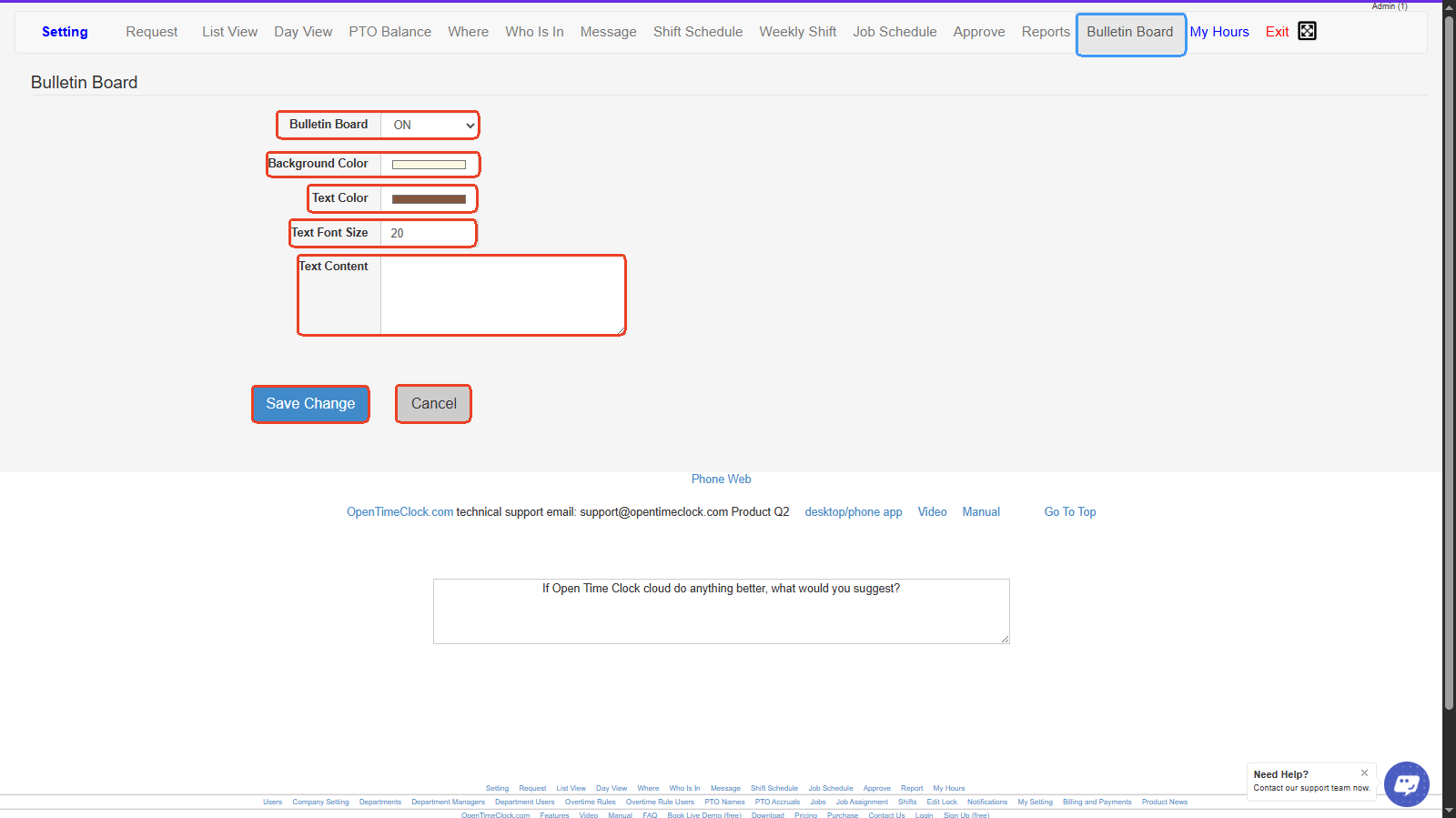
1. **Bulletin Board (On/Off)** – Allows you to enable or disable the bulletin board feature.
2. **Background Color** – Lets you select the background color for your bulletin board message.
3. **Text Color** – Lets you pick the color of the text displayed on the bulletin board.
4. **Text Font Size** – Adjusts the size of the bulletin board text.
5. **Text Content** – A text box to type and edit the message you want to display on the bulletin board.
6. **Save Change** – Saves the current settings and applies the bulletin board message.
7. **Cancel** – Discards any changes made and keeps the previous settings.
<figure><img src="https://2341424831-files.gitbook.io/~/files/v0/b/gitbook-x-prod.appspot.com/o/spaces%2FMZp90d9Kar54BXRBM0kI%2Fuploads%2FPOJHBeShDU83PvF0UIaK%2Fimage.png?alt=media&#x26;token=c0dedec1-5223-4eb7-97e4-f655cf34b3e5" alt=""><figcaption></figcaption></figure>

<p align="center"><a href="https://www.opentimeclock.com/signup.html" class="button primary" data-icon="user-plus">Sign Up for Free</a>                            <a href="https://www.opentimeclock.com/app.html" class="button secondary" data-icon="right-to-bracket">Log In</a>                            <a href="https://www.opentimeclock.com/" class="button secondary" data-icon="house-window">Home</a></p>

> <p align="center"><mark style="color:$info;">Feel free to contact us at our toll-free number: +1-833-702-2927 or email us at support@opentimeclock.com.</mark></p>
