# Request
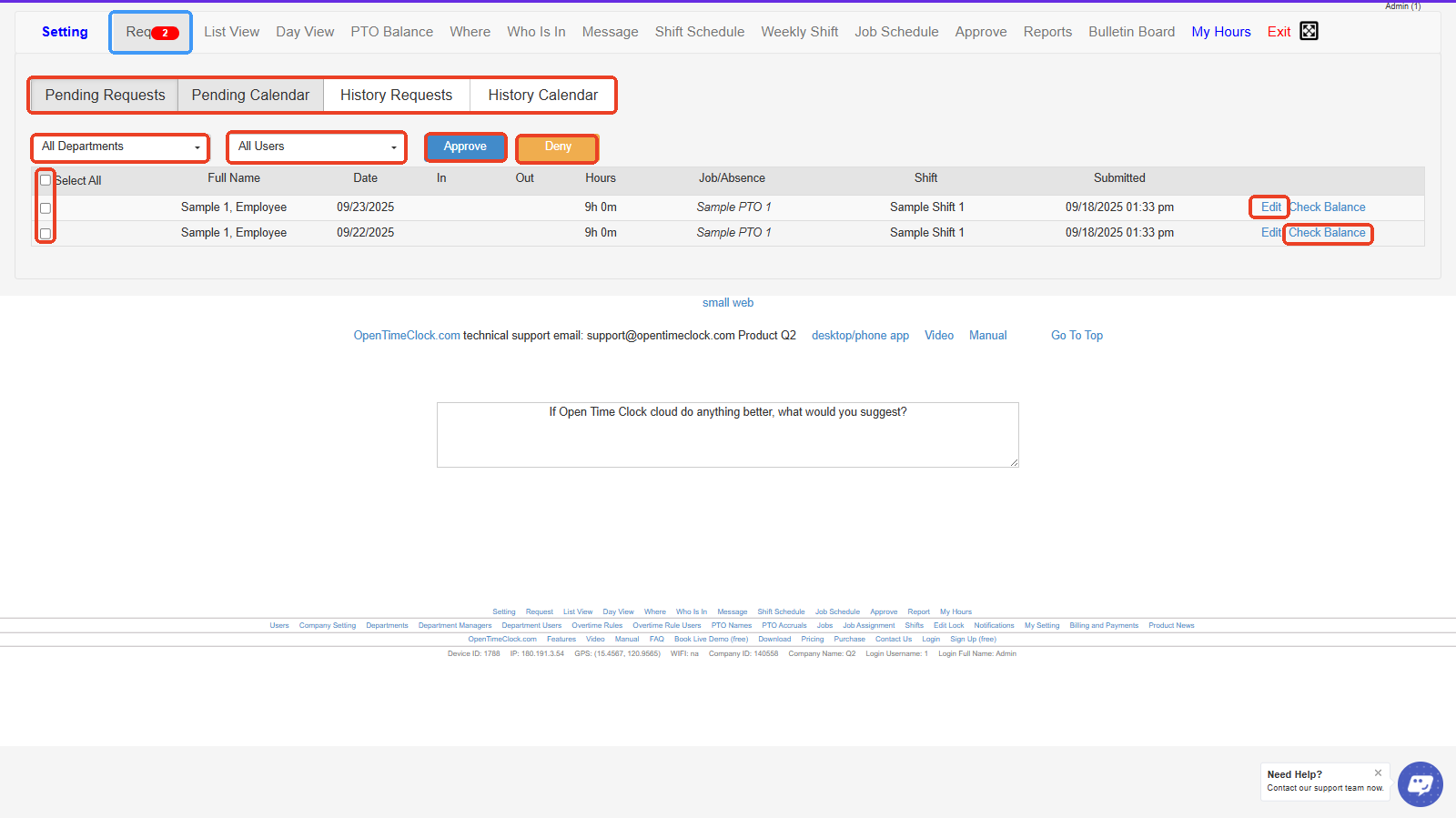
**In Admin's View:**
* **Request Notification Icon** – Shows the number of pending time-off or shift change requests awaiting approval.
* **Tabs (Pending Requests, Pending Calendar, History Requests, History Calendar)** – Lets you switch between viewing pending requests, the calendar view of requests, or request history.
* **All Departments Dropdown** – Filter requests by department to view only specific groups of employees.
* **All Users Dropdown** – Filter requests by a specific user or see all users’ requests.
* **Approve / Deny Buttons** – Approve or deny selected employee requests in bulk.
* **Select All Checkbox** – Select or deselect all requests at once for batch approval or denial.
* **Edit Button** – Allows you to edit the details of a submitted request (like dates or hours).
* **Check Balance** – Displays the employee’s available PTO or leave balance before approving the request.
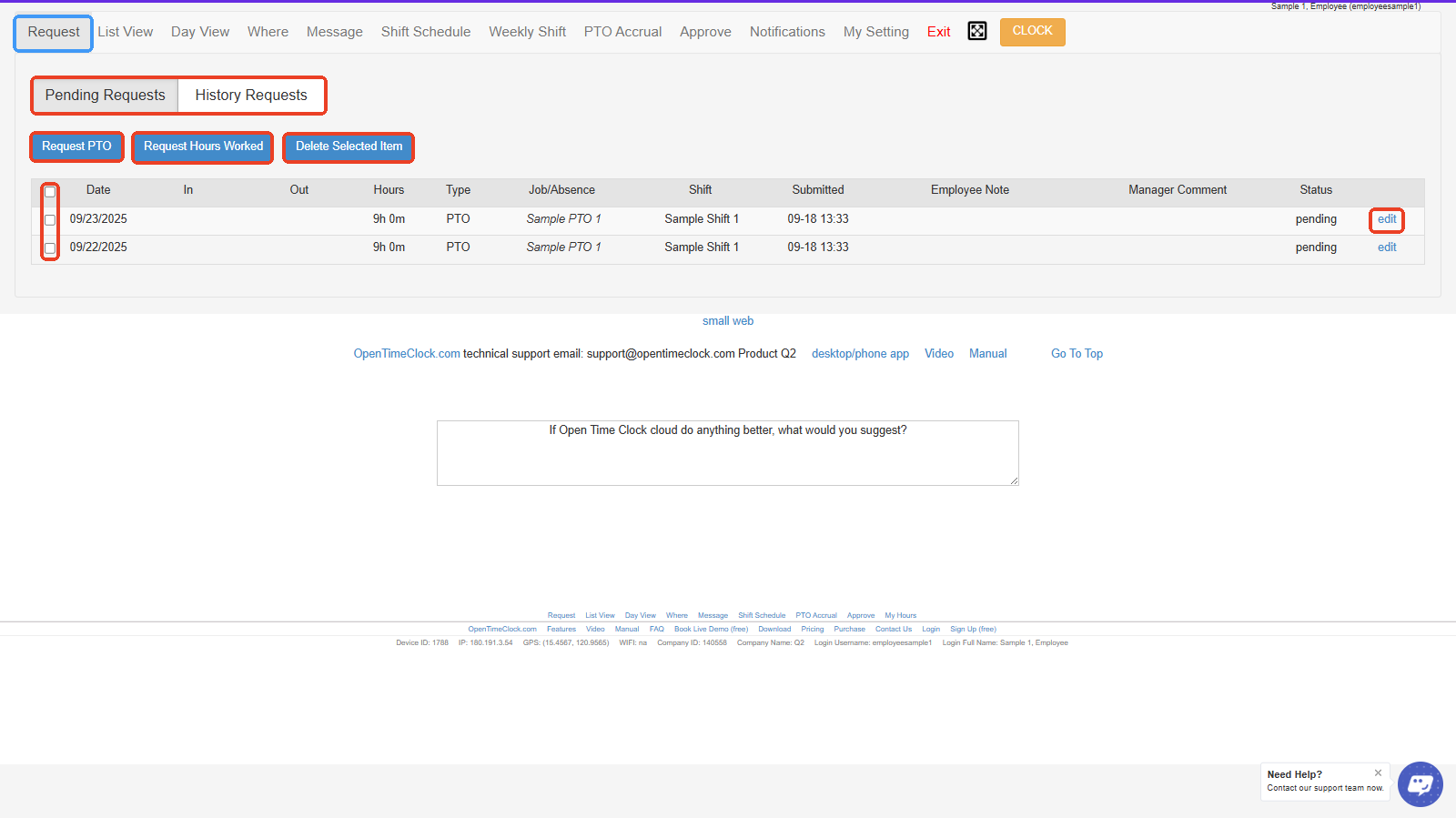
**In Employee's View:**
* **Pending Requests / History Requests Tabs** – Switch between viewing current pending requests or past request history.
* **Request PTO Button** – Employees click here to request Paid Time Off (PTO).
* **Request Hours Worked Button** – Allows employees to request adjustments to their recorded worked hours.
* **Delete Selected Item Button** – Deletes selected requests from the list.
* **Select All Checkboxes** – Allows you to select one or multiple requests for bulk actions, such as deletion.
* **Edit Button** – Opens the individual request for editing details like dates, hours, or notes.