# Shift Schedule
This feature helps ensure proper staffing, improves visibility of work hours, and keeps both managers and employees informed of their assigned shifts.
***
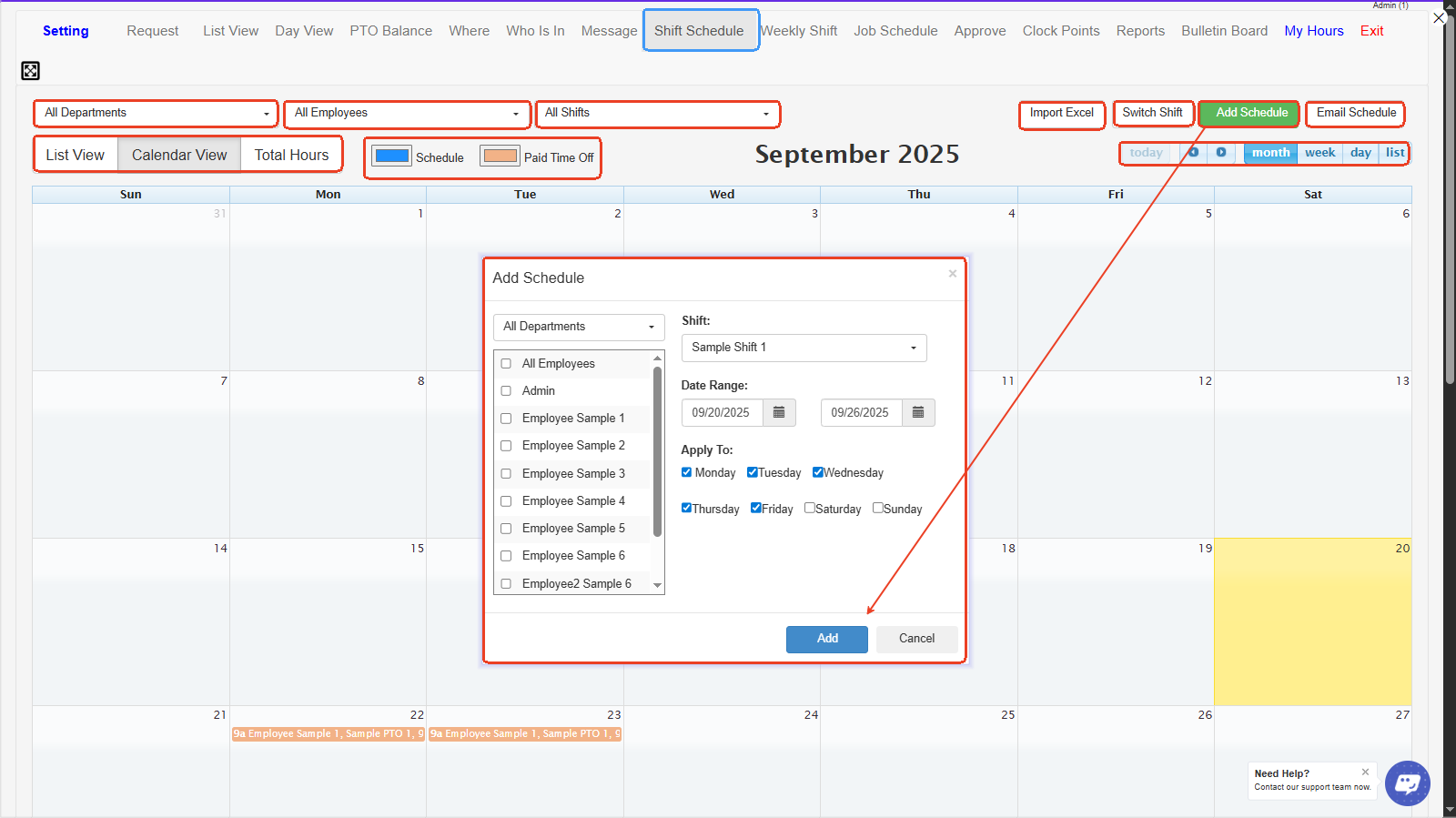
1. **Department / Employee / Shift Filters-** Lets you filter the calendar view by department, employee, or specific shift to quickly view and manage schedules.
2. **View Options (List View / Calendar View / Total Hours)**
* **List View:** Shows schedules in a list format.
* **Calendar View:** Displays schedules on a calendar.
* **Total Hours:** Summarizes total scheduled hours for employees.
3. **Schedule Legend (Color Codes)-** Differentiates between regular scheduled shifts (blue) and paid time off (brown).
4. **Import Excel-** Allows you to upload schedules from an Excel file to save time on manual entry.
5. **Switch Shift-** Lets you swap shifts between employees easily.
6. **Add Schedule-** Opens the “Add Schedule” window to create new shifts for selected employees.
7. **Email Schedule-** Sends the scheduled shifts to employees via email.
8. **Calendar Navigation (Month/Week/Day/List)-** Lets you change how the schedule is displayed — by month, week, day, or list view.
9. **Add Schedule Window**
* **All Departments/All Employees:** Select which employees or departments to schedule.
* **Shift:** Choose which shift template to assign.
* **Date Range:** Set the start and end dates for the shift.
* **Apply To:** Select which days of the week this shift applies to.
* **Add Button:** Confirms and saves the schedule.
***